PlayNoDownload
PlayNoDownload
UNO Online
1
UNO Online
Board1 plays
Similar Games
Board→Description
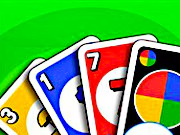
The classic popular game UNO can be played online in the browser. You can play the game locally or online multiplayer. You can enter the lobbies in the online section. Face up to 3 CPU-controlled opponents. Match cards by color or number, play action cards to mix the game up, and be the first to get rid of all cards. Also, do not forget to press the 1 button when you have only one card left! Game Controls: · Use "MOUSE" and "LEFT-CLICK" or "TOUCH".
Attributes
- Release Date
- Unknown
- Language
- English
- Technology
- HTML5
- Players
- 2
Platforms
PCMobileWeb Browser
Kids Friendly
Instructions
· Use "MOUSE" and "LEFT-CLICK" or "TOUCH".
Frequently Asked Questions
How to play UNO Online?
UNO Online is a board game that can be played directly in your browser. Simply wait for the game to load, then follow the on-screen instructions to start playing. Most games use keyboard arrows and spacebar or mouse controls.
Is UNO Online free to play?
Yes, all games on PlayNoDownload are completely free to play. There are no hidden fees or subscriptions required.
Can I save my game progress?
Most browser games automatically save your progress using local storage in your browser. For the best experience, we recommend playing on the same device and browser to maintain your progress.