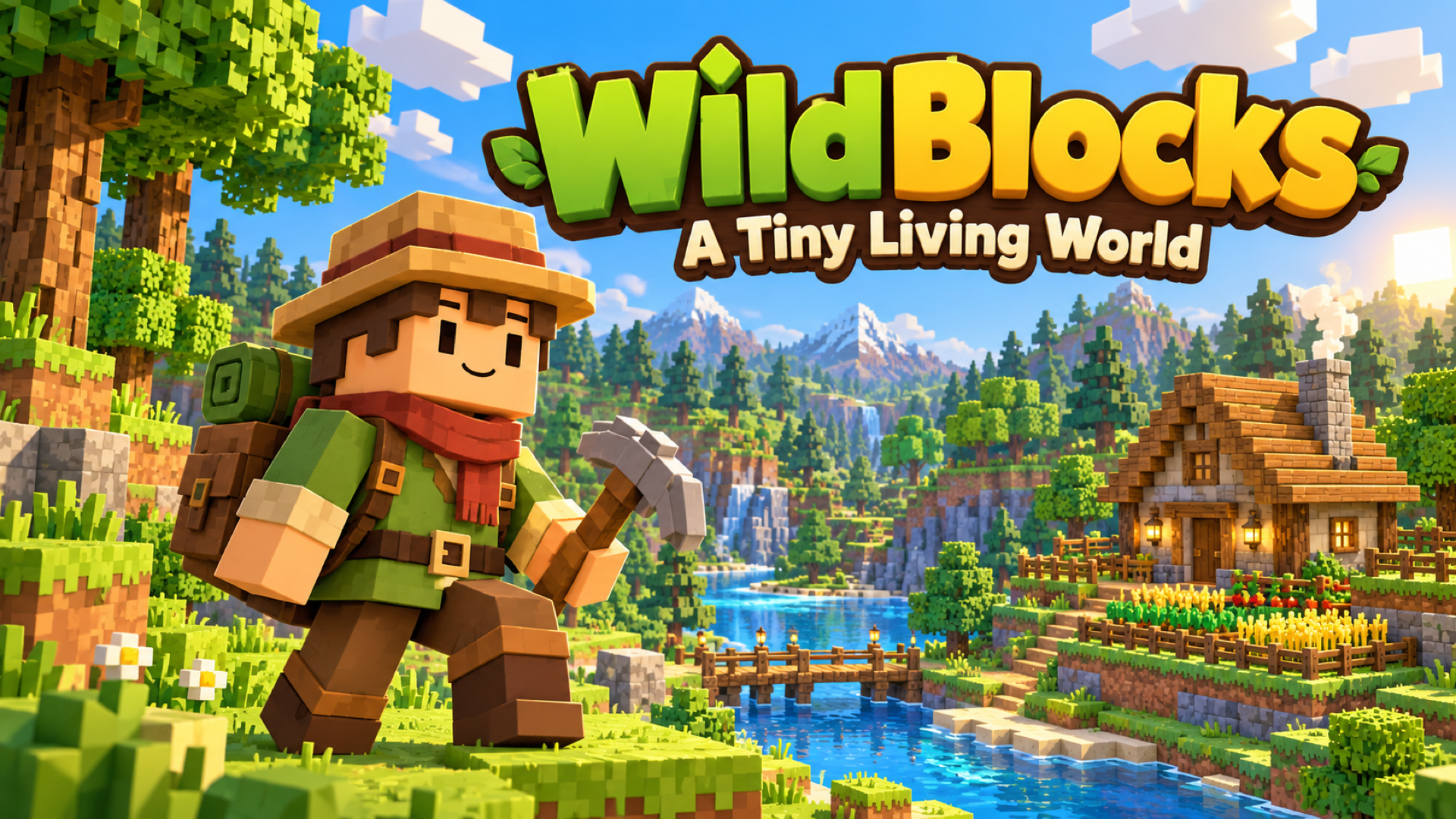
WildBlocks — A Tiny Living World
Приключения1
Предоставлено PlayGama. Во время игры может показываться реклама.



WildBlocks — A Tiny Living World
Приключения1 игр
—
Описание
Make a tiny living world your own in WildBlocks, a cozy voxel adventure about exploring, crafting, and building a place to call home. Wander through...
Атрибуты игры
- Дата выпуска
- 2026-11-02
- Язык игры
- English
- Технология
- HTML5
- Игроки
- Один игрок
- Поставщик
- PlayGama
- Реклама
- Да
Платформы
PCMobileWeb
Подходит для детей
Как играть
Инструкции
Choose New World to start an adventure, or Build Home to create with unlimited materials. In Survival, follow the starting quests, gather wood and other resources, then open the Backpack and Recipe Book to craft tools and useful items. Build a shelter, plant crops, prepare food, and explore to improve your Homestead. Aim at objects to use them, and keep your favorite tools in the hotbar. Desktop: Move with WASD and look around with the mouse. Press Space to jump, Shift to sprint, and Ctrl or C to crouch. Hold the left mouse button to chop, mine, or attack. Use the right mouse button to place blocks or use the item you are holding. Press F to interact, E for the Backpack and Recipe Book, J for the Journal, M for the map, and Esc for the pause menu. Select hotbar items with 1–9 or the mouse wheel. Click the game view to capture the mouse when prompted. Phone or tablet: Turn your device to landscape. Move with the left joystick and drag the right side of the screen to look around. Tap the screen to use the selected item, and press and hold to break blocks. Use the onscreen buttons for jumping, placing, interacting, and opening the Backpack. Tap hotbar slots to select items. The in-game How to Play guide explains the touch controls and each mode. Build Home: Open the catalog with B, choose a material or object, and use the building tools to place and shape your home. R rotates, X selects the remove tool, and Ctrl+Z / Ctrl+Y undo and redo. On touch devices, use the tool drawer and onscreen actions. Open How to Play for the complete building guide. Use Save & Quit to Menu when you finish a session. Choose **Continue** or select a saved world to return. Multiplayer requires an internet connection; create or join a room and share its code with friends. Desktop controls reference | Action | Default control | | --- | --- | | Move / look | WASD / mouse | | Jump / sprint / crouch | Space / Shift / Ctrl or C | | Chop, mine, break, or attack | Hold left mouse button | | Place a block or use held item | Right mouse button | | Interact with objects and creatures | F | | Backpack and Recipe Book | E | | Select hotbar item | 1–9 or mouse wheel | | Journal / map | J / M | | First / third-person view | V | | Free cursor / return to mouse-look | Backtick | | Pause menu | Esc | These are the default bindings. Players can change supported bindings in Settings → Controls. Build Home and Deathmatch also have mode-specific controls in the in-game guide.
Часто Задаваемые Вопросы
Как играть в WildBlocks — A Tiny Living World?
WildBlocks — A Tiny Living World - это игра жанра adventure, в которую можно играть прямо в браузере. Просто дождитесь загрузки игры, затем следуйте инструкциям на экране, чтобы начать. Большинство игр используют стрелки клавиатуры и пробел или управление мышью.
Игра WildBlocks — A Tiny Living World бесплатная?
Да, все игры на PlayNoDownload полностью бесплатны. Нет скрытых платежей или необходимости подписки.
Могу ли я сохранить свой прогресс в игре?
Большинство браузерных игр автоматически сохраняют ваш прогресс, используя локальное хранилище вашего браузера. Для наилучшего опыта мы рекомендуем играть на одном и том же устройстве и браузере для сохранения прогресса.
Пожалуйста, войдите, чтобы оставить комментарий